

There are a few possible reasons why you might not be able to place an order on AliExpress:
- Insufficient payment information. In order to place an order, you will need to provide a valid payment method and have sufficient funds available to cover the cost of the order. If your payment information is incomplete or incorrect, you may be unable to place an order.
- Unavailable or out of stock items. If an item you are trying to order is out of stock or unavailable, you will not be able to add it to your cart and place an order.
- Restrictions on your account. AliExpress may restrict your ability to place orders if there are issues with your account, such as a history of fraudulent activity or a high number of disputes.
- Technical issues. If there are technical issues with the AliExpress website or app, you may be unable to place an order.
If you are unable to place an order and are not sure why, you can try the following steps:
- Check that your payment information is correct and up to date.
- Check that the items you are trying to order are in stock and available for purchase.
- Contact AliExpress customer support for assistance. They should be able to help you troubleshoot the issue and determine the cause of the problem.
- Try placing the order from a different device or internet connection, in case the issue is related to a technical problem.
Popular mistakes and solutions when you can’t place an order on Aliexpress

Error message: The items is not available, because the sellerdoesn’t provide delivery to the shipping address you selected.
Solution: Due to seller’s shipping setting or product is unavailable, the products cannot be sell currently. You are advised to buy similar products from other store.

Error message: To protect the security of your account, your request can’t be protected at this time.
Solution: The order could not be proceesed due to security reason.
Please try it agian without using coupon or shop similar item from another store.
Please try it agian without using coupon or shop similar item from another store.

Error message: Some discounts have expired. Refresh the page to update before placing your order.
Solution: Discounts is based on first come, first served rule, some discounts in this order is out of stock or has expired. Please refresh the checkout page to try again or shop similar item from another store.
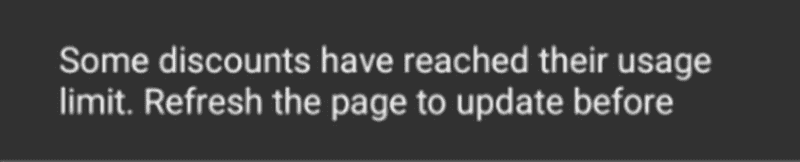
Error message: Some discounts have reached their usage limit.
Solution: Discounts is based on first come, first served rule, some discounts in this order is out of stock.
Please refresh the checkout page to try again or shop similar item from another store.
Please refresh the checkout page to try again or shop similar item from another store.
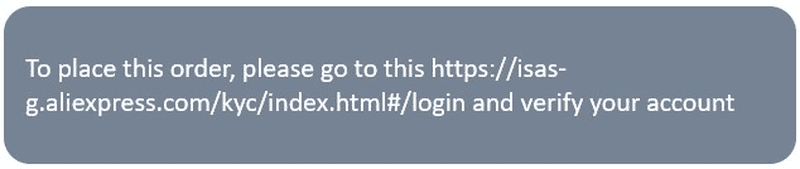
Error message: To place this order, please go to this https://isas-g.aliexpress.com/kyc/index.html#/login and verify your account
Solution: Please complete account verification through the link, you could place order normallly 24 hours after getting verification approved.

Error message: The account is in seller’s blacklist, please contact the seller
Solution: Sorry to inform that the product could not be purchased due to seller’s setting. You are advised to buy similar products from other store or contact seller to negotiate it.
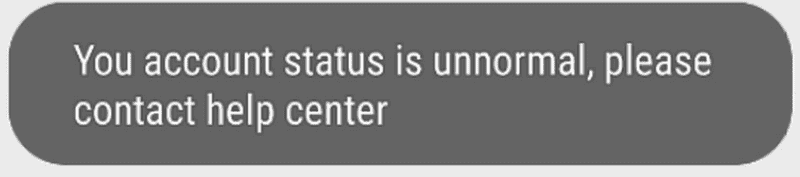
Error message: Your account status is unnormal, please contact help center
Solution: If your account is disabled, please log out current account firstly and log into account again to reactivate account.
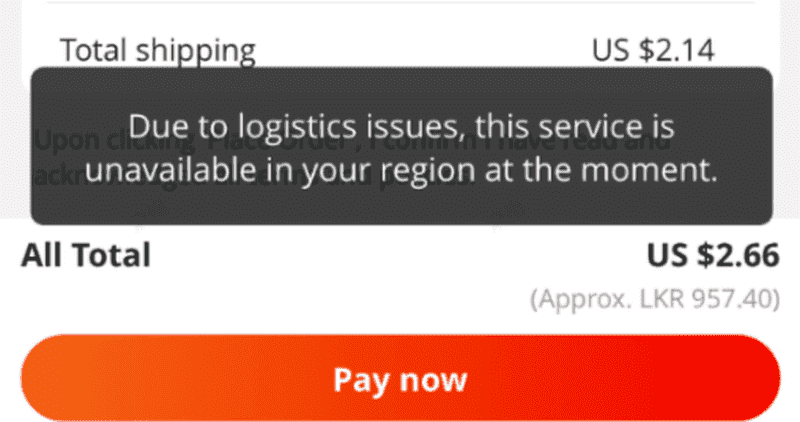
Error message: Due to logistics issues, this service is unavailable in your region at the moment
Ukraine version: Надання послуг у вашому регіоні зараз неможливе у зв’язку з проблемами з логістикою.
Ukraine version: Надання послуг у вашому регіоні зараз неможливе у зв’язку з проблемами з логістикою.
Solution: As the logistics capacity is restored gradually, if you still meet error when ordering, it means that your detailed address is currently unavailable. For the rest regions, we are paying attention to the current logistic situation and keep updated timely.
What else you can look out for when placing an order
Here are a few additional ideas for things to consider if you are unable to place an order on AliExpress:
- Check the seller’s policies to make sure that they are able to ship to your location. Some sellers may have restrictions on where they can ship products.
- Check the shipping fees and delivery times for the items you are trying to order. If the shipping fees or delivery times are not reasonable, you may not be able to place an order.
- Make sure that you are using a supported payment method. AliExpress accepts a variety of payment methods, but some methods may not be available in all countries or may have restrictions on the types of products that can be purchased.
- Check that you are within the allowed quantity limits for the items you are trying to order. Some sellers may have limits on the number of units that can be purchased in a single order.
- Check that you have not exceeded any spending limits or restrictions on your account. If you have reached the maximum allowed spending limit on AliExpress, you may not be able to place an order until you have reduced your balance.
- Check that you have not exceeded any limits on the number of orders that you can place in a certain time period. Some sellers may limit the number of orders that a single buyer can place in a day or week in order to prevent abuse of the system.
If you’re having similar problems and can’t find a solution, feel free to write to us in the comments below and we’ll try to help.













I see this message in a black square: According to Aliexpress policy, this order cannot be placed.
I tried to contact many times, but they only told me that this order is not allowed and to make other. The big this message appears on every order I want to make.
I don’t know how to repair it, when even the support cannot fix it.
Check if you don’t have regional restrictions on Aliexpress. Try changing the region and delivery address and make a test order.