
Codes for Global 2026

How to add a shop on Aliexpress to favourites

Are you a regular shopper on AliExpress, and often find yourself scrolling through an endless list of shops to find your favourite ones? Fret not! Adding a shop to your favourites is a quick and easy way to access your preferred shops and their products in just a few clicks. In this article, we’ll guide you on how to add a shop on AliExpress to favourites in a few simple steps.

To add an Aliexpress shop to your favourites, just follow a few simple steps to keep track of new products, promotions and discounts from a particular retailer.

Good shops are always able to offer their customers quality goods at affordable prices, and such sellers are the ones you want to come back to again and again. It is for this purpose that the interface of AliExpress has a list of favourite shops, where you can add all the stalls with products you like.

Interestingly, the “Favourite shops” section also includes a search by the name of the shop you are looking for.

Understanding Aliexpress Favorites List

Before we get started, let’s first understand what Aliexpress Favorites List is. Aliexpress Favorites List is a feature that allows users to save their favorite shops and products for future reference. Once you add a shop to your favorites list, you can easily access it by clicking on the ‘My Favorites’ link located at the top of the Aliexpress homepage.

How to add a shop to favourites on Aliexpress

How to Add a Shop on AliExpress to Favourites
Adding a shop on AliExpress to favourites is a simple process that can be completed in just a few clicks. Here’s how to do it:
Step 1: Log in to your Aliexpress Account
The first step is to log in to your Aliexpress account. If you don’t have an account, you can create one by clicking on the ‘Join’ link located at the top of the Aliexpress homepage.
Step 2: Search for the Shop
The next step is to search for the shop you want to add to your favorites list. You can search for the shop using the search bar located at the top of the Aliexpress homepage.
Step 3: Go to the Shop Page
Once you have found the shop you want to add to your favorites list, click on the shop name or the shop image to go to the shop page.
Step 4: Click on ‘Add to My Favorite Shops’
On the shop page, you will see an ‘Add to My Favorite Shops’ button located just below the shop name. Click on this button to add the shop to your favorites list.
Step 5: Confirm the Shop has been Added
After clicking the ‘Add to My Favorite Shops’ button, a confirmation message will appear at the top of the page. This message confirms that the shop has been successfully added to your favorites list.
Congratulations! The shop has been successfully saved in the “favorite shops” section.

How to add a shop to favourites in the mobile app

In the Aliexpress mobile app, the procedure for adding a shop to your favourites is slightly different from that on the online shop’s website.

  1. Open the product of the shop you want to save as a favourite.
  2. Go down to the block where the “Add to cart”, “Buy now” and the storefront icon are located. Click on the icon to go to the shop page.
  3. In the block of information about the shop, find the subscriber indicator and click on it to add the shop on Aliexpress to the favourites.

It’s done! The seller is now in the “Favorite shops” section.

We recommend that you periodically visit the aforementioned section to see new and discounted products that might interest you.

Why Should You Add a Shop on AliExpress to Favourites?

There are many benefits of adding a shop on AliExpress to favourites. Here are a few reasons why you should consider doing it:

  • Easy access to your preferred shops and their products;
  • Saves time and effort spent on searching for the same shops repeatedly;
  • Allows you to receive notifications on special promotions and deals from your favourite shops;
  • Enhances your shopping experience by providing personalized recommendations based on your favourite shops and products.
It’s no less interesting: How to Order from AliExpress Without Paying

FAQs

Can I add multiple shops to my favourites?

Yes, you can add as many shops as you want to your favourites on AliExpress. You can also create multiple folders to organize your favourite shops based on your preferences.

Can I remove a shop from my favourites?

Yes, you can remove a shop from your favourites at any time. To do so, go to your AliExpress homepage, click on “My Favorite Stores” and then click on the “Edit” button next to the folder where the shop is saved. From there, you can remove the shop from your favourites.

Can I access my favourite shops from the AliExpress mobile app?

Yes, you can access your favourite shops and products from the AliExpress mobile app. Simply log in to your account and click on the “My Favorite Stores” option from the homepage.

Will adding a shop to my favourites affect the prices of its products?

No, adding a shop to your favourites will not affect the prices of its products. The prices remain the same for all shoppers on AliExpress.

Can I share my favourite shops with my friends?

Yes, you can share your favourite shops with your friends on social media platforms or messaging apps. Simply go to your AliExpress homepage, click on “My Favorite Stores” and then click on the “Share” button next to the shop you want to share.

Is it safe to add a shop to my favourites on AliExpress?

Yes, it is safe to add a shop to your favourites on AliExpress. The website has a secure system that ensures the safety of your personal information and transactions. However, it is always advisable to check the authenticity and reputation of the shop before making any purchases.

Tips for Organizing Your Favourite Shops on AliExpress

Now that you know how to add a shop on AliExpress to favourites, here are some tips to help you organize your favourite shops effectively:

  1. Create different folders based on product categories or shopping preferences. For instance, you can create folders for electronics, clothing, cosmetics, etc.
  2. Rename the folders to make them easily identifiable.
  3. Rearrange the folders based on your shopping habits. For example, if you frequently buy electronics, keep the electronics folder at the top for easy access.
  4. Remove shops that you no longer shop from to declutter your favourites list.

Conclusion

Adding a shop on AliExpress to favourites is a great way to save time and enhance your shopping experience. With just a few clicks, you can access your preferred shops and their products without having to search for them repeatedly. We hope this guide has helped you understand how to add a shop on AliExpress to favourites and organize them efficiently. Happy shopping!

Read more:

Hot offers

4.9
Baseus 240W USB C Cable
3760 Reviews
10,000+ Sold
for iPhone 17 16 15 Plus Pro Max Supercharge for Macbook Fast Charger Type C Cable for xiaomi Samsung
5
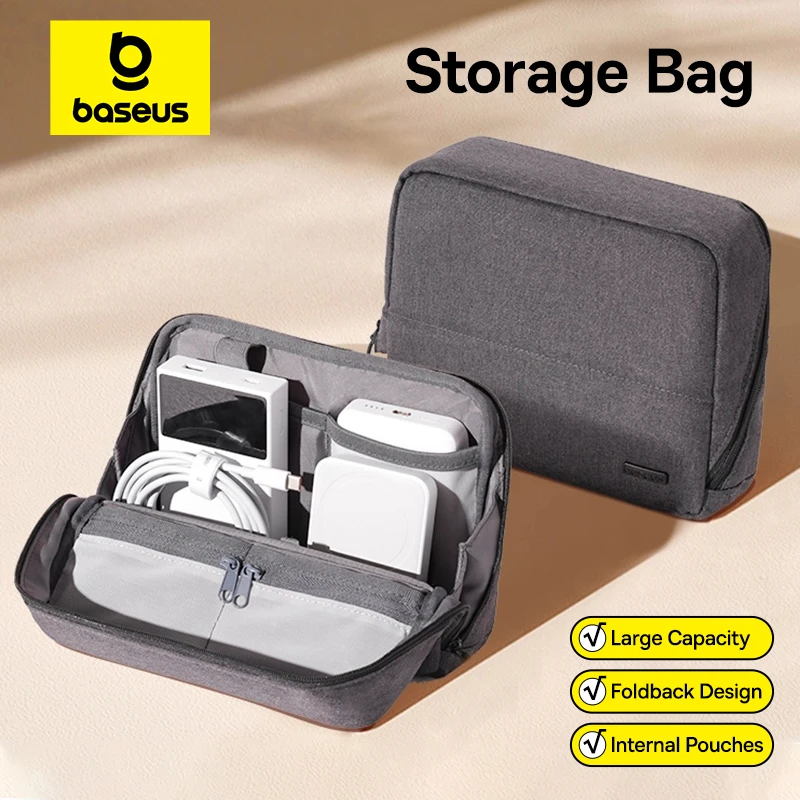
Baseus Phone Storage Bag
358 Reviews
1,000+ Sold
Bag for iPhone 17 Samsung Waterproof Digital Electronic Organizer Portable Power Bank Charger Camera Bag
4.7
UGREEN ClipBuds Open-Ear Wireless Headphones Bluetooth 6.0 with 4 Mic Clear Call, Earbuds Clip on Earphones 30H Playtime
UGREEN ClipBuds Best Values
151 Reviews
1,000+ Sold
Open-Ear Wireless Headphones Bluetooth 6.0 with 4 Mic Clear Call, Earbuds Clip on Earphones 30H Playtime
4.9
Baseus Wireless Car Air Pump Portable
2261 Reviews
5,000+ Sold
Air Compressor for Car Motorcycles Bicycle Electric Tire Inflator with LCD Digital Display
4.9
How to add a shop on Aliexpress to favourites
40 Reviews
100+ Sold
Mi Tablet Global Version Snapdragon 7+ Gen 3 11.2" 3.2K 144Hz Display Adreno GPU 45W Turbo charge 8850mAh
$386.70$543.34 Buy on Aliexpress
OB1ITOOMUK1K
Read full review
The most popular products on Aliexpress as of the September of the 2026
Expert Alitopshop
Expert Alitopshop

Active user of AliExpress since 2018. I create high-quality and unique content on the topic of shopping on the Chinese marketplace. I help other people solve problems with their orders.

We will be happy to hear your thoughts

Leave a reply

Alitopshop
Logo